

Windows & Microsoft Office TrainingWe offer basic, pre-basic and intermediate computer training classes, online or in-person in one-on-one sessions or small group sessions. Bi-weekly class intake is available throughout the year. |
Advance Your Academic JourneyEDMONTON DATESUpcoming In-Person Class Dates:Pre-Basic:
Basic:
Intermediate:
Upcoming Online Class Dates:Pre-Basic:
Basic:
Intermediate:
Book your Computer Training classes today! Become fluent across the breadth of Windows and MS Office by taking any of our full courses that provide training in all aspects of Microsoft Windows and Microsoft Office. We offer both:
Group classes run for a total of 40 hours and have recurring intake every two weeks while 1-on-1 classes have constant intake throughout the year. Instruction options include:
Developed and taught in-house at pre-basic, basic and intermediate levels, these courses go through the basics of Windows and progressively more sophisticated uses of the “core” Office applications: Word, Excel, PowerPoint, and Outlook. |
|
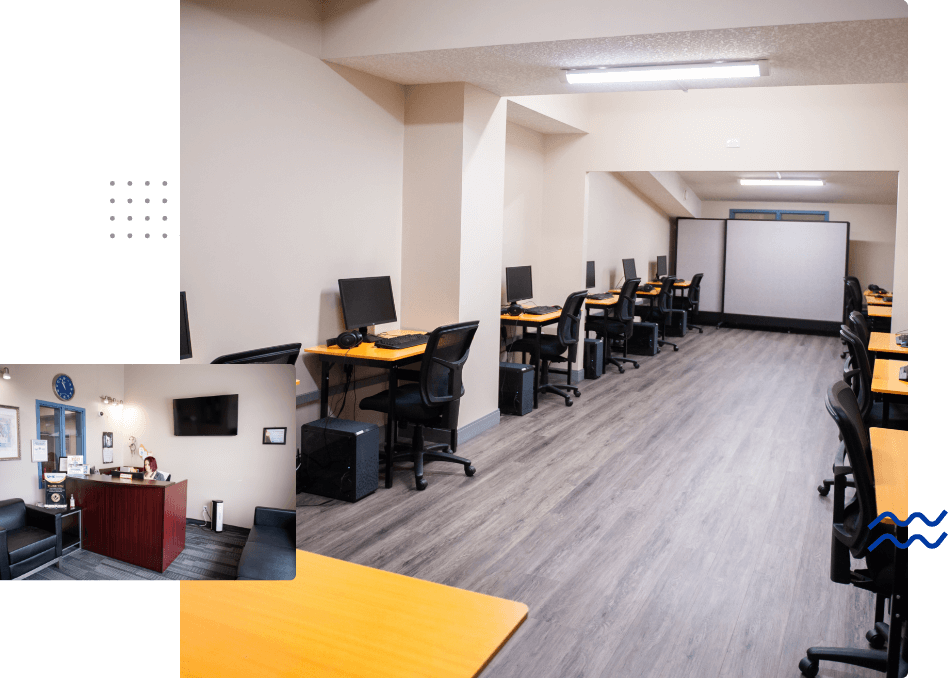
We are here to help you on your path to success, whether academic or professional! |
|
|
Custom InstructionTailored to Suit your NeedsTake advantage of our tutoring services to get help working with Office in a college, university, or continuing education course you are taking. Simply tell us what you need! If you are a complete novice, of any age, consider our 1-on-1 or small-group training that is geared specifically to you. Get introduced to the fundamental terms, concepts, and features of personal computers, the World Wide Web, and online safety. Find out how to work with the basic hardware components of a computer and other personal devices. And learn how to use email and manage social media to connect with family and friends. We also provide custom instruction. To learn just a part of Office that you specifically need, for any purpose, to any level of expertise — contact us to arrange custom instruction. This can include any of the core apps or others (Access and Publisher), and even advanced topics such as VBA programming. If you are looking to take a structured course with us over an extended period of time, we typically begin with an initial assessment to gauge the knowledge and skills you already have. We can then recommend what training you may need in order to reach your goals. Whether that be at a basic, pre-basic and intermediate level, following a set course or a personalized one, this assessment helps us determine what will be most effective for you. Shorter tutoring sessions, either to support you in a course you are taking elsewhere or to give you quick help with an immediate need, are always customized to your requirements — just let us know what those are when you contact us. Progress Your CareerWe encourage you to contact us if you need an introduction or just a brush-up on any component of MS Office or select other software suites/programs with |

Group Computer Training Classes
We offer training for groups of up to 12 people at a time. Currently, our group classes in Windows and Microsoft Office are run online at times scheduled throughout the year (dates and pricing upon request). Individual instruction, in-person delivery, customized courses, training in other software, and more narrowly focused tutoring all are available. Please contact us to discuss any of these possibilities.
Windows & MS Office:Pre-Basic30 hours (10 days) Take this course if you are a beginner with minimal or no computer experience. You will practice working with mice, keyboards, and touch-typing, and you will learn the basic terminology and tools of personal computing. You will learn to use standard apps and manage windows on your computer, navigate the internet, use email effectively, and participate in online meetings. You will also get an introduction to Word, the text-processing program at the heart of the MS Office productivity suite.
|
Windows & MS Office:Basic30 hours (10 days) This course is recommended if you have completed our Pre-Basic course or have equivalent knowledge and experience from the workplace or prior personal use. It aims to enhance your abilities to manage your own computer and to manipulate documents in MS Word. You will also work to further your touch-typing skills, and you will begin learning to use Excel, the data-management spreadsheet program in MS Office.
|
Windows & MS Office:Intermediate30 hours (10 days) This course is suggested if you have completed our Basic training or have equivalent knowledge and experience from the workplace or prior personal use. You will learn more advanced aspects of Word and Excel, and you will be exposed to PowerPoint, the presentation software in the MS Office suite. You will also learn about basic concepts and emerging platforms in the area of artificial intelligence (AI).
|
Let us be a part of your academic or career journey.Dedicated to helping learners of all ages meet and exceed their goals. Use the link below to contact us today! |